

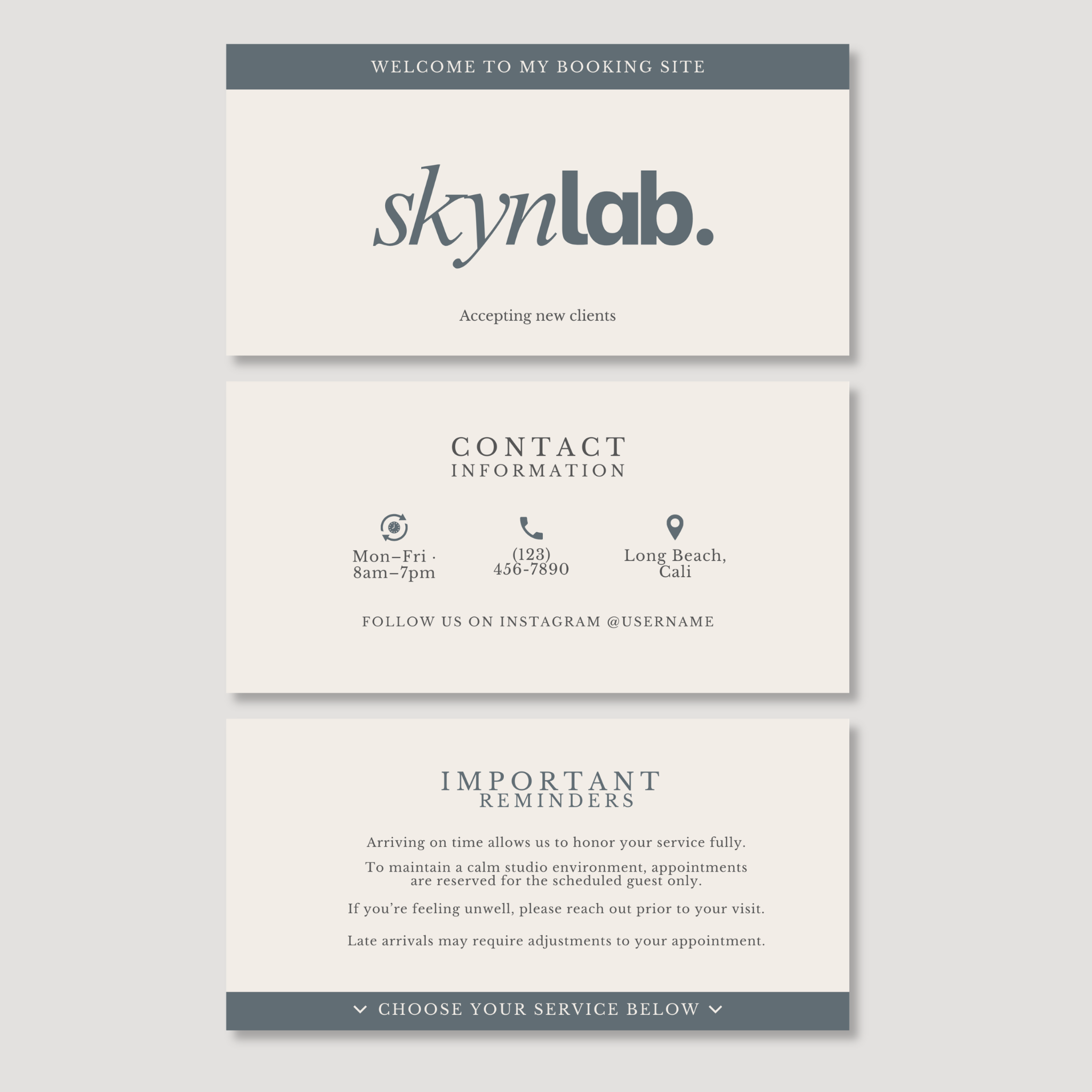
Skynlab Booking Banner Set
✨ Mix, Match & Save
Pick any 3 templates for $18 — discount applied automatically at checkout.
Give your booking page the same polished feel as your studio.
Your booking page is often one of the first places a new client interacts with your business.
The SKYNLAB Booking Banner Set includes 3 editable Canva banners designed for Acuity + Squarespace Scheduling to help transform a basic booking page into a clean, cohesive extension of your brand.
Use them to welcome new clients, make important studio information easy to find, and communicate appointment expectations before they arrive.
Clean typography. Soft neutral tones. Editorial design.
Professional branding without starting from scratch.
WHAT’S INCLUDED
3 Editable Canva Booking Banners
01 — WELCOME BANNER
Create a polished introduction to your booking page and let clients know you're accepting new appointments.
02 — STUDIO INFORMATION BANNER
Keep important details easy to find, including:
• Studio hours
• Phone number
• Location
• Instagram
03 — IMPORTANT REMINDERS BANNER
Give clients helpful information before booking or arriving, including:
• Studio policies
• Arrival instructions
• Appointment expectations
• Important service reminders
WHY ADD BANNERS TO YOUR BOOKING PAGE?
Your booking software handles the appointment.
Your branding shapes the experience.
These banners help you:
• Carry your brand beyond your website
• Create a more intentional first impression
• Make important information easier to find
• Set expectations before the appointment
• Create consistency across your client touchpoints
• Make a standard booking page feel more like your studio
EASY TO CUSTOMIZE
Open your templates in Canva and personalize them for your business.
Customize:
• Studio name
• Wording
• Contact information
• Policies + reminders
• Fonts
• Colors
Canva Free or Pro required.
DESIGNED FOR
Estheticians • Facial Studios • Skincare Studios • Solo Estheticians • Beauty Professionals
RECOMMENDED USE
Add your banners to:
• Acuity Scheduling
• Squarespace Scheduling
• Booking page headers
• Scheduling page content sections
• Website booking portals
BRAND CANDIE SUGGESTS
For the most cohesive client experience:
Keep your welcome simple.
Your booking page should help clients take action—not overwhelm them with information.
Put essential information where clients can see it.
Hours, location, contact information and important policies shouldn't be difficult to find.
Match your booking page to your studio.
Customize the colors, fonts and wording so your booking experience feels connected to the rest of your brand.
Pair your digital experience with your studio signage.
Carry the same messaging into policy signs, service menus, QR booking signs and other client touchpoints.
HOW IT WORKS
1. PURCHASE
Complete your Etsy purchase.
2. ACCESS
Download the PDF containing your Canva template link.
3. CUSTOMIZE
Personalize the banners with your studio details.
4. DOWNLOAD
Export your finished designs from Canva.
5. UPLOAD
Add them to your Acuity or Squarespace Scheduling page.
PLEASE NOTE
This is a digital Canva template product. No physical product will be shipped.
Your purchase includes the 3 editable banner designs shown in this listing. Canva, Acuity and Squarespace subscriptions are not included.
Because booking platforms can change their layouts and features, please confirm that your current platform setup allows you to add custom images/content in the areas where you plan to use the banners.
Templates are for use within your own business and may not be resold, redistributed, shared or offered as templates to others.
Choose options